

From the Cinema to the Cloud: Announcing v2.0 of the Cloud CAP HANA SWAPI Sample
A Long Time Ago in a Cinema Far, Far Away
I was six years old when I saw my first Star Wars movie. Which means I was exactly the right age to have my brain completely rewired by Star Wars: The Empire Strikes Back.
I remember sitting in that darkened theater, eyes wide, watching Star Destroyers that filled the entire screen, an asteroid field that felt genuinely dangerous, and a revelation at the end that I'm still not going to spoil even though everyone on earth has had 45 years to catch up. I walked out of that cinema convinced of two things: space was really interesting and stories mattered.
Those two convictions have shaped everything I've done since including, it turns out, this project.
I became a developer, but I never stopped being someone who believed that the way you tell a story about technology matters as much as the technology itself. Which is probably why, when I needed a dataset to demonstrate SAP Cloud Application Programming Model patterns, I reached for the one universe I've loved since I was six.
The API a Universe Deserves
If you've spent any time in web development over the last decade, you've probably used SWAPI the Star Wars API.
Paul Hallett built it in 2014 as a REST learning tool, and it became something of a cultural fixture in developer education. Every tutorial that needed "some real data to work with" reached for SWAPI. It has 87 characters, 60 planets, 37 starships, 39 vehicles, 14 species, and 6 films all neatly organized, consistently structured, and immediately recognizable.
The brilliance of SWAPI as a teaching tool is that so many of you already know the data. When a tutorial shows you {"name": "Luke Skywalker", "height": "172", "homeworld": "Tatooine"}, you don't need to understand the domain. You already live there. That frees your brain to focus on what the tutorial is actually teaching.
SWAPI Meets CAP
A few years ago I needed a sample application to demonstrate SAP CAP patterns, specifically the parts that are genuinely tricky to teach: many-to-many relationships, multi-database profiles, exposing the same data model as OData v4, OData v2 (via adapter), GraphQL, and REST all at once, managed entities with cuid, authorization roles, and event-driven patterns.
SWAPI was the obvious choice. Here's why it works so well:
- Many-to-many relationships everywhere: Films connect to characters, planets, starships, vehicles, and species. Every junction table is a teaching moment.
- Familiar data, unfamiliar patterns: Most learners already understand who Han Solo is. They can focus on how the data is modeled, not what it represents. And even if you haven't seen any of the films (what have you been doing with your life?), the data is still fun, engaging, and easy to explore.
- Multi-profile story: The same schema runs on SQLite locally, PostgreSQL for teams, and SAP HANA Cloud for production. The data doesn't care which backend you use.
- Rich enough to be realistic: 87 characters across 6 films gives you enough data that queries feel real, but small enough that everything loads fast and local development is smooth.
The original cloud-cap-hana-swapi was well-received. It showed developers exactly what it was designed to show, and I was happy with it.
But there was one problem I kept coming back to.
The Uncomfortable Truth: Six Films
SWAPI covers six films.
Episodes I through VI. The Phantom Menace through Return of the Jedi. The dataset that was complete in 2014 when Paul built it, and hasn't changed since.
Meanwhile, the Star Wars universe exploded. The Mandalorian. Andor. The Book of Boba Fett. Obi-Wan Kenobi. Ahsoka. Bad Batch. Two more films announced. The franchise that was six films when SWAPI launched is now fifteen live-action shows and counting, not to mention Visions, Tales of the Jedi, and everything else.
From a CAP modeling standpoint, I was also leaving the most interesting part of the problem unsolved. The original sample had no concept of a Show or an Episode, no composition relationships, no parent-child cascades, no aggregation views. Just films and their related entities, many-to-many but flat.
I wanted Shows. I wanted Episodes. I wanted the real data to go with them.
Which meant I needed to go to the source: Wookieepedia.
Scraping Wookieepedia (Or: How I Spent My Weekend)
Wookieepedia is the Star Wars wiki. It's a remarkable volunteer effort that documents essentially every episode, character, and planet across the entire franchise.
It also exposes the MediaWiki API, which made it possible to build a scraper.
The scraper, cap/scraper/, works in two passes:
- Discovery: Fetch the list of all Star Wars films and live-action shows, with their episode lists.
- Enrichment: For each episode, fetch detailed metadata, such as director, writer(s), air date, season and episode number, opening crawl (where available), and the full cast of characters, planets, starships, vehicles, and species that appear.
The challenges were real:
- Rate limiting: Wookieepedia is a volunteer project. The scraper uses conservative rate limits and backs off on 429s. We needed to be respectful.
- Inconsistent data: "Ahsoka Tano" and "Ahsoka" and "Ahsoka Tano (Fulcrum)" are the same person. The normalization logic to reconcile entity names across 772 episodes is... a lot.
- Caching: Once you have the data, you don't want to re-fetch it. The scraper writes a disk cache that's committed to the repo.
npm run scrapeuses the cache by default.npm run scrape:bypass-cachehits the live API and prompts you to confirm before making network calls. This way, you can update the dataset if you want, but it's not going to happen by accident and if you just want to use the sample right after a pull, you don't have to wait for the scraper to run.
The result: 11 films, 15 shows, 772 episodes. Every episode linked to its characters, planets, vehicles, starships, and species. Everything cross-referenced. The SWAPI dataset is still in there, but it's no longer the whole story.
A Richer Universe: Episodes, Shows, and the Media View
The new data model is where v2.0 really earns its version number.
Shows and Episodes
The Show entity represents a Star Wars series or film anthology, like The Mandalorian, Andor, or The Clone Wars. Each show has basic metadata: title, release year, total seasons.
Episode is a composition child of Show which means episodes belong to their show and cascade-delete with it. Each episode carries its own metadata: director, writer, season_number, episode_number, air_date, and opening_crawl (for the films that have one).
entity Show : managed {
  key ID        : UUID;
  title         : String;
  release_year  : Integer;
  total_seasons : Integer;
  episodes      : Composition of many Episode on episodes.show = $self;
}

entity Episode : managed {
  key ID            : UUID;
  show              : Association to Show;
  title             : String;
  season_number     : Integer;
  episode_number    : Integer;
  director          : String;
  air_date          : Date;
  opening_crawl     : LargeString;
  characters        : Composition of many Episode2People   on characters.episode = $self;
  planets           : Composition of many Episode2Planets  on planets.episode  = $self;
  // ... starships, vehicles, species
}
Episode Junction Tables
Five Episode2* junction entities link episodes to the core character set: Episode2People, Episode2Planets, Episode2Starships, Episode2Vehicles, Episode2Species. Because they're compositions of Episode, they cascade correctly. They also let you ask the interesting questions like which characters appear across both Rebels and Andor? Which planets show up in both the Clone Wars and the live-action shows?
Show2* Aggregation Views
Show2Planets, Show2Starships, Show2Vehicles, and Show2Species are CDS define view declarations that aggregate over their corresponding Episode2* tables:
define view Show2Planets as select from Episode2Planets {
  episode.show as show,
  planet
};
No physical tables. The view derives from episode data automatically. Want to know every planet that appears in The Mandalorian? The view handles it.
The StarWarsEpisode Service
A new StarWarsEpisode read-only service exposes all of this:
GET /odata/v4/StarWarsEpisode/Shows
GET /odata/v4/StarWarsEpisode/Episodes
GET /odata/v4/StarWarsEpisode/Episode2People
And the Media Browser Fiori app gives you a UI to explore it. You can filter by show, drill into episodes, or see the full cast.
The Docs Site That Finally Does It Justice
One of my ongoing frustrations with this project was that the interesting architectural decisions were buried in a README that was difficult to navigate and easy to miss. The data model is the real star of the show, but it was hidden in a wall of text.
v2.0 ships a proper documentation site built with VitePress.
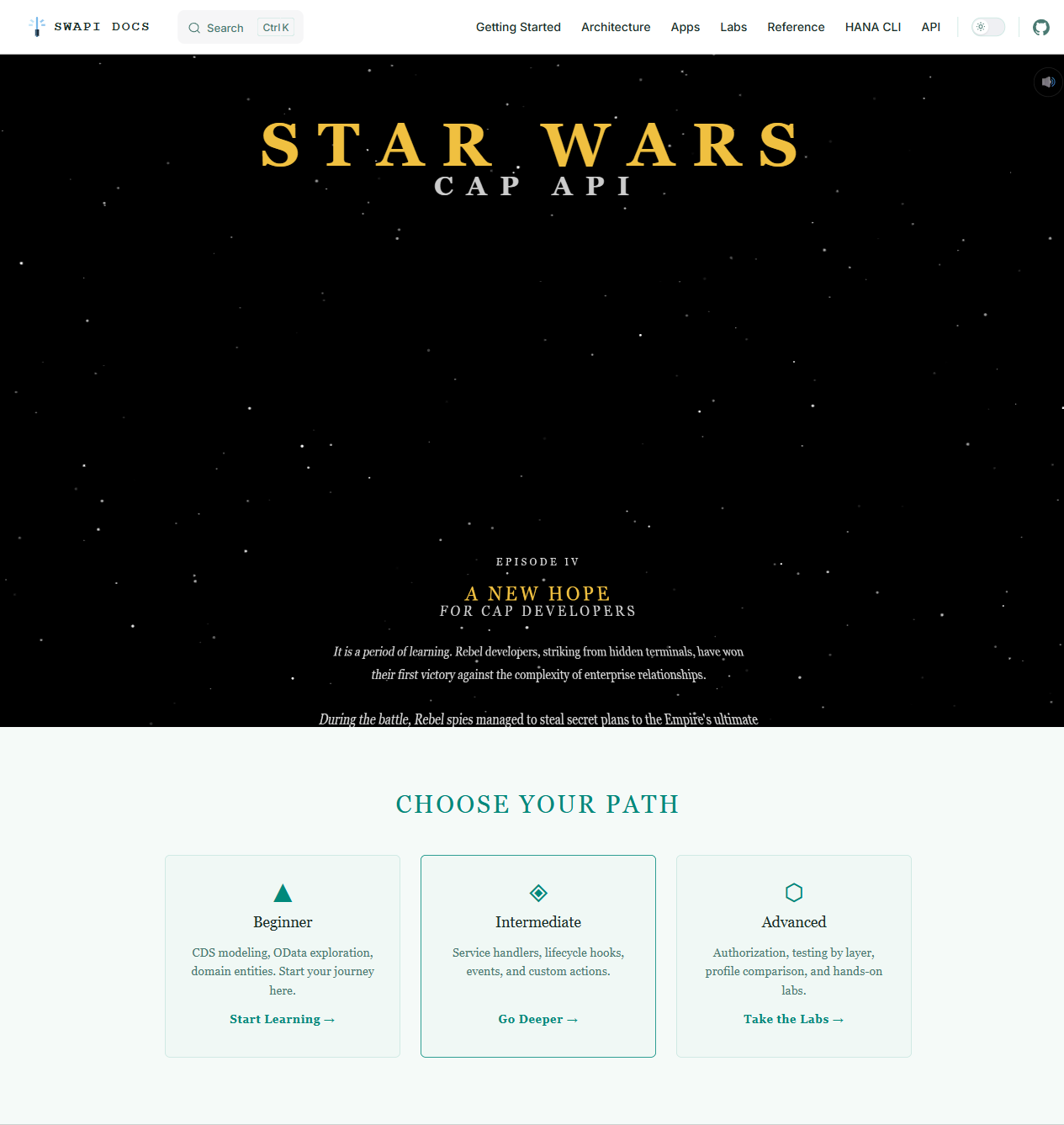
A few things worth calling out:
The themes. The site ships with two CSS themes: Imperial Dark (a high-contrast dark theme that probably looks familiar if you've ever seen the inside of a Star Destroyer) and Jedi Archives (warm, parchment-toned light mode). Toggle between them with the theme switcher in the nav.
The opening crawl. The homepage has an animated Star Wars opening crawl. It's not subtle and I have no regrets.
The CDS Cheat Sheet. This one I'm genuinely proud of. If you work with SAP CAP, bookmark the cheat sheet.
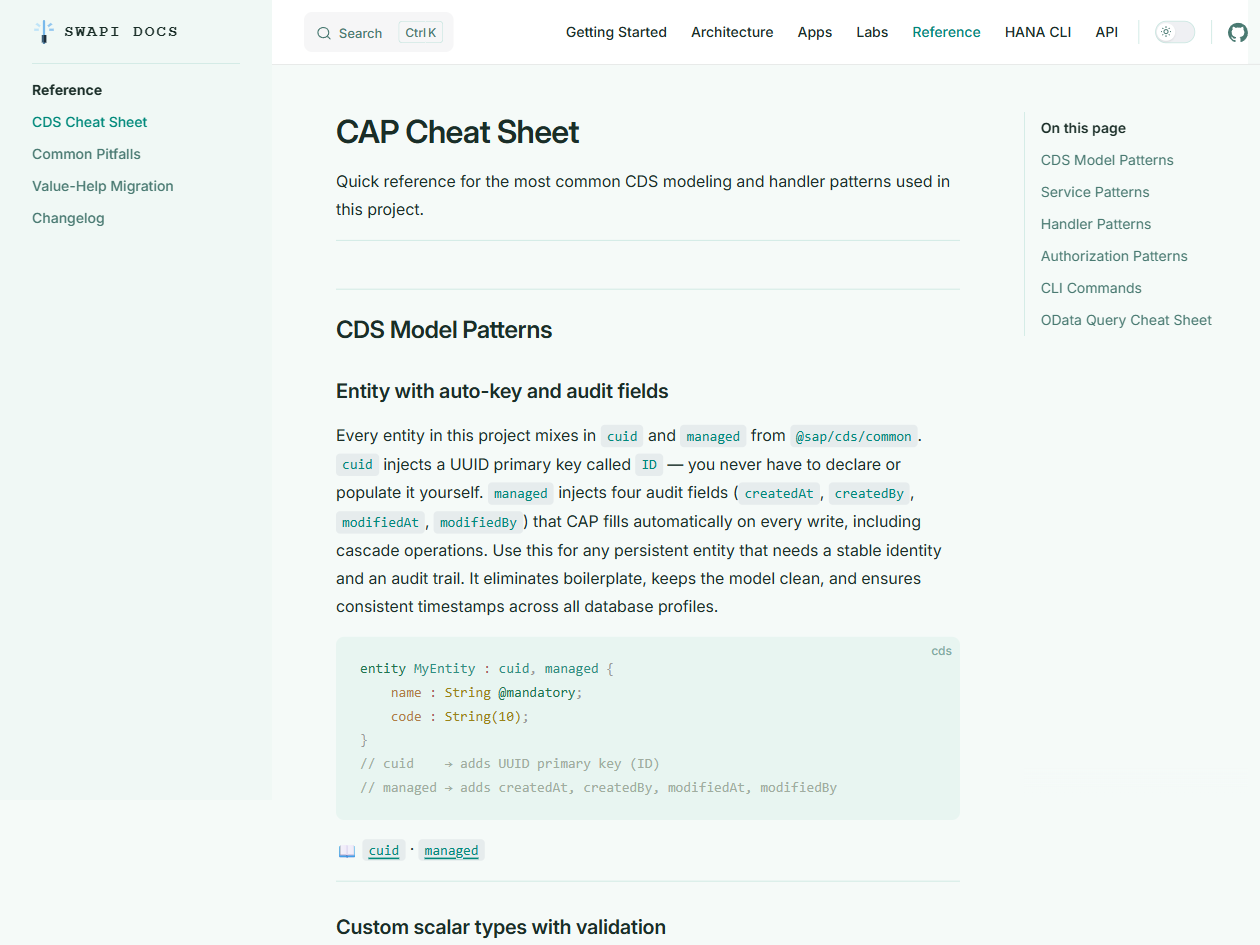
It covers:
- Entity definition patterns with
managed,cuid,temporal - Many-to-many with explicit junction entities (the right way)
CompositionvsAssociation— when to use eachdefine viewfor aggregation- Service contract patterns
- Handler registration (
before,on,after) - Authorization with
@restrictand role patterns - Virtual fields and computed properties
- Multi-profile configuration
Architecture deep-dives. The Shows & Episodes section walks through the full composition hierarchy, the view aggregation pattern, and why the data model is designed the way it is.
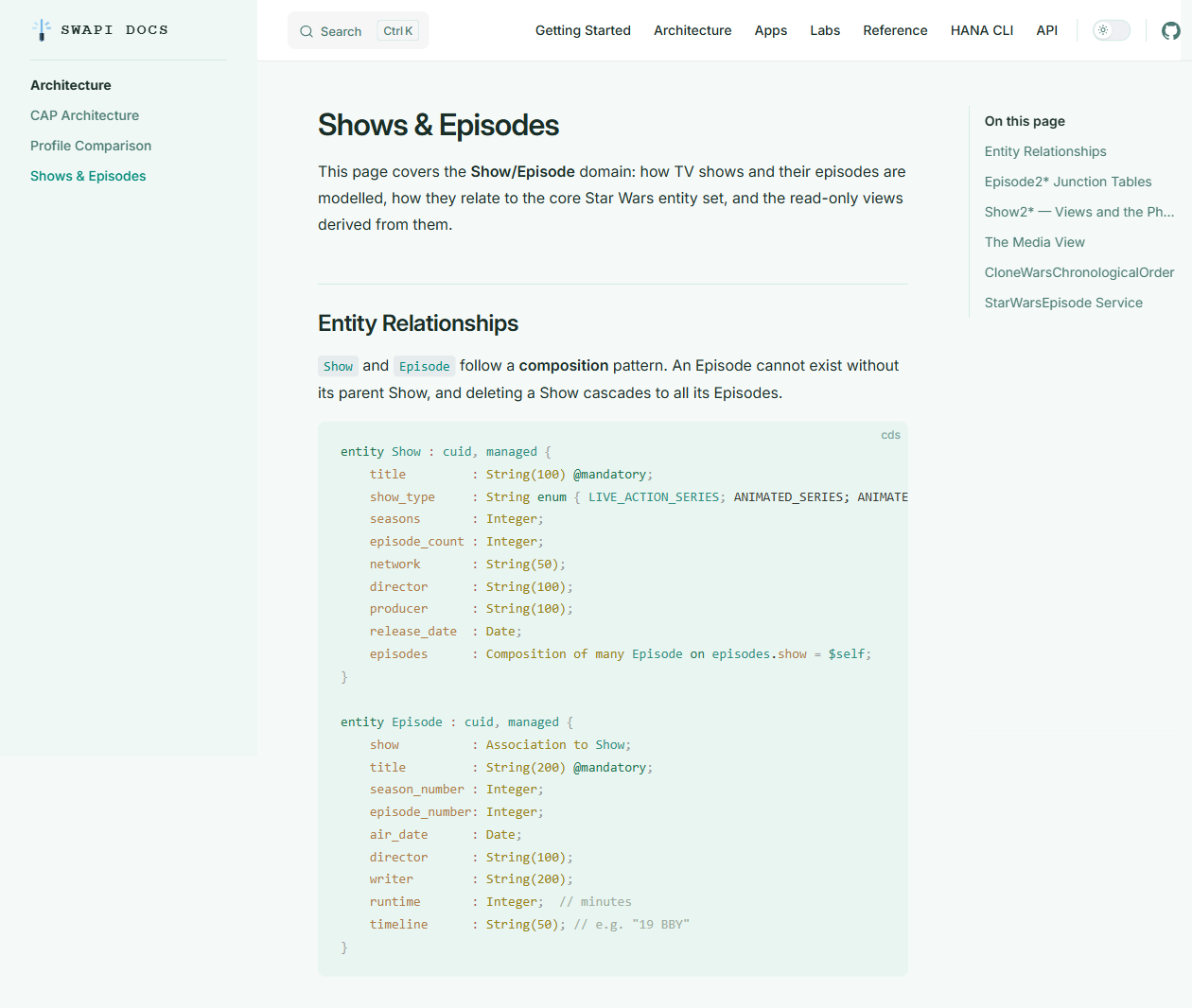
Five hands-on labs. From "model your first entity" to "write authorization tests": step-by-step exercises with the Star Wars dataset as the playground.
A Fresh Look at the Data
The original data viewer in this project was... functional. I had borrow it from another of the SAP CAP Samples. It got the job done, but it wasn't going to win any design awards.
The v2.0 viewer app is something you'll hopefully actually want to use.
It ships with two themes (Galaxy — deep space dark mode, and Light, keeping with the Star Wars aesthetic). Pagination that actually works, including graceful handling when @odata.count comes back as 0. Sortable columns. A filter bar. Keyboard navigation. 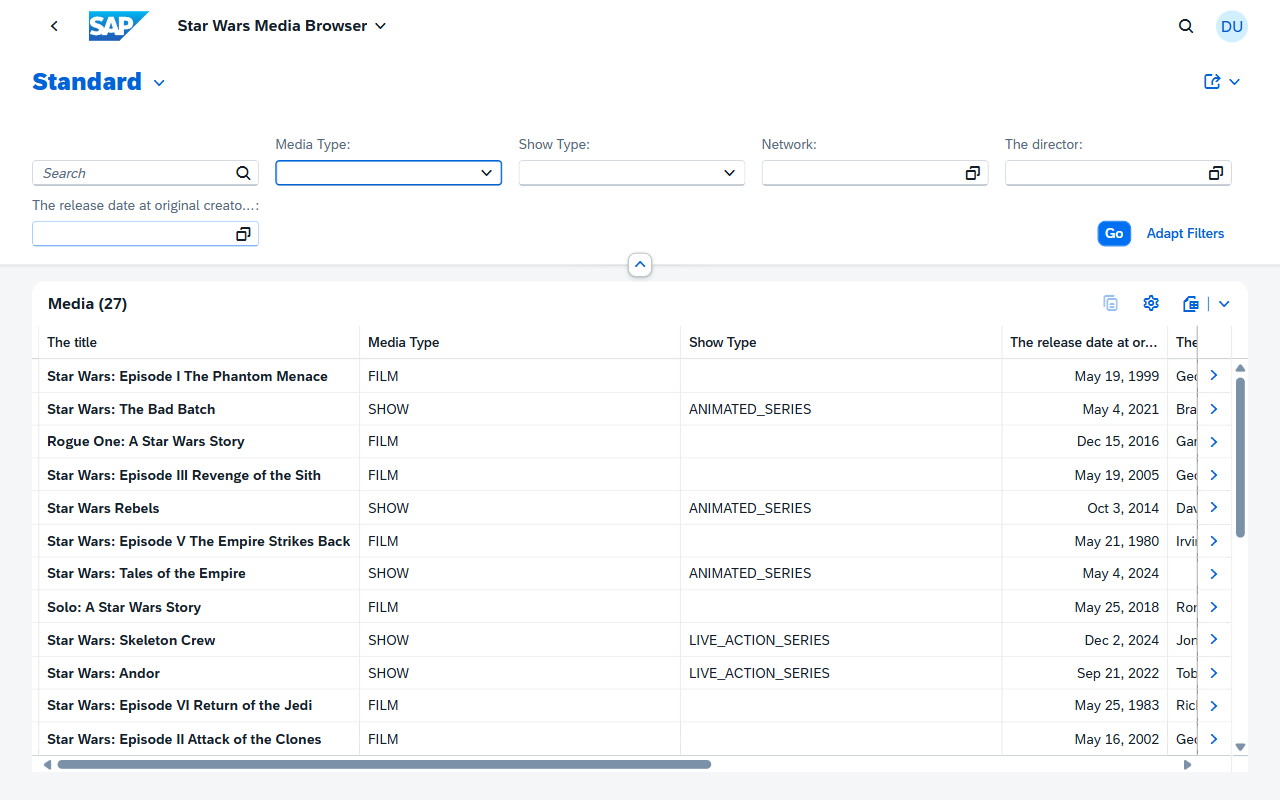
The feature I use most: the detail panel. Click any row and a panel slides in from the right showing the full entity details without navigating away from the list. It's the difference between "I can look up data" and "I enjoy looking up data."
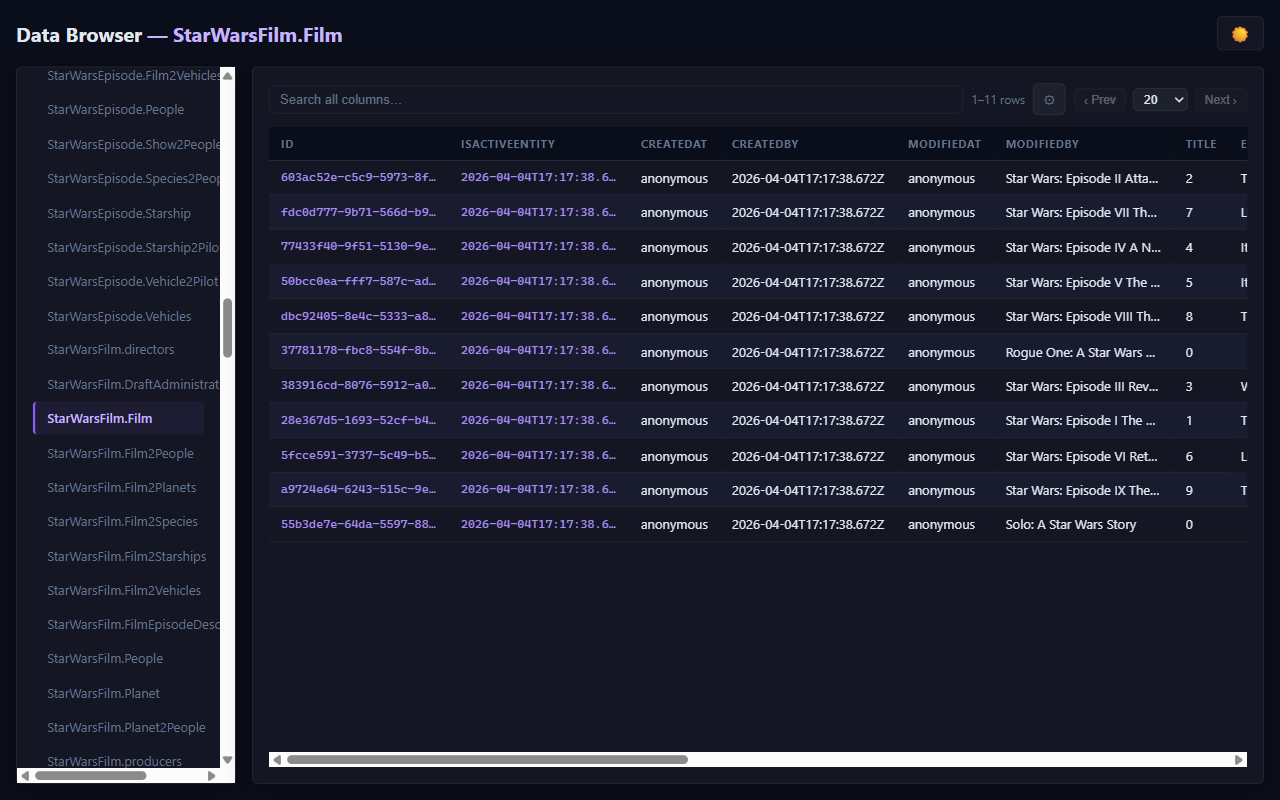
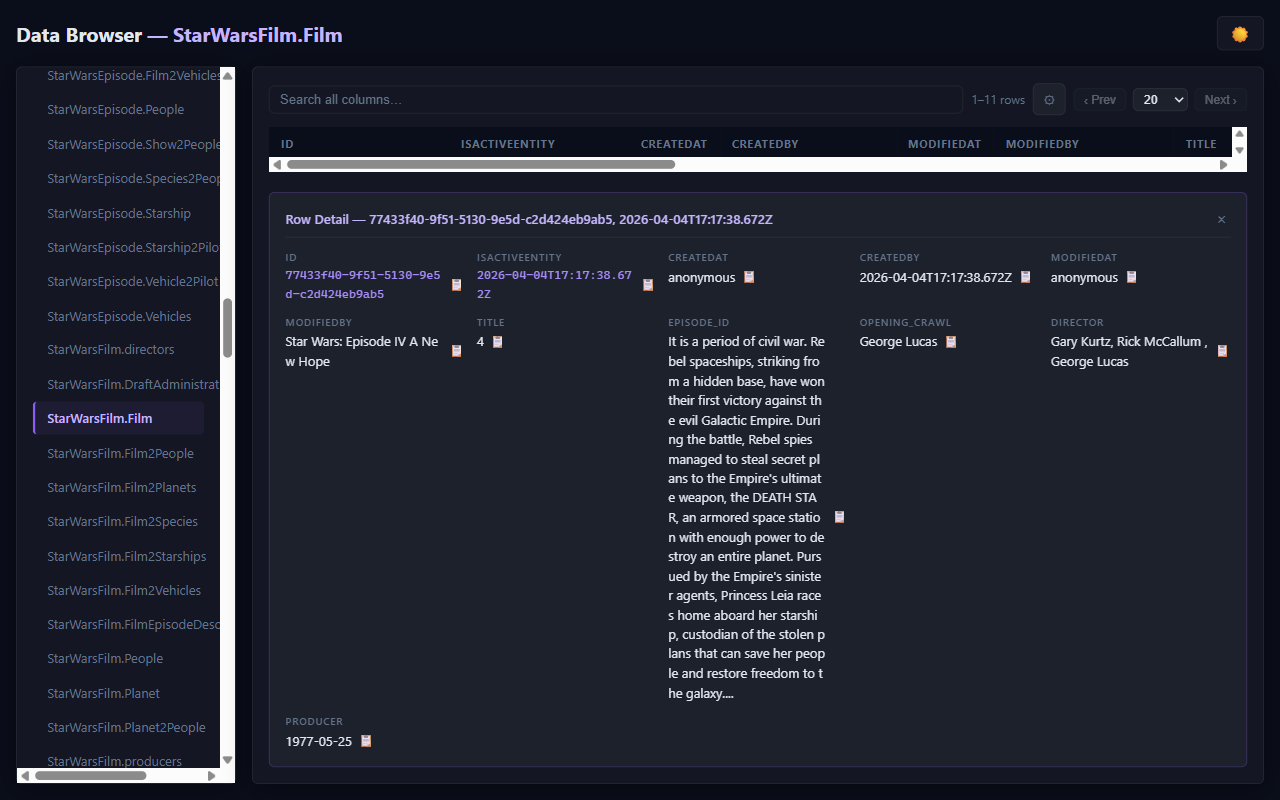
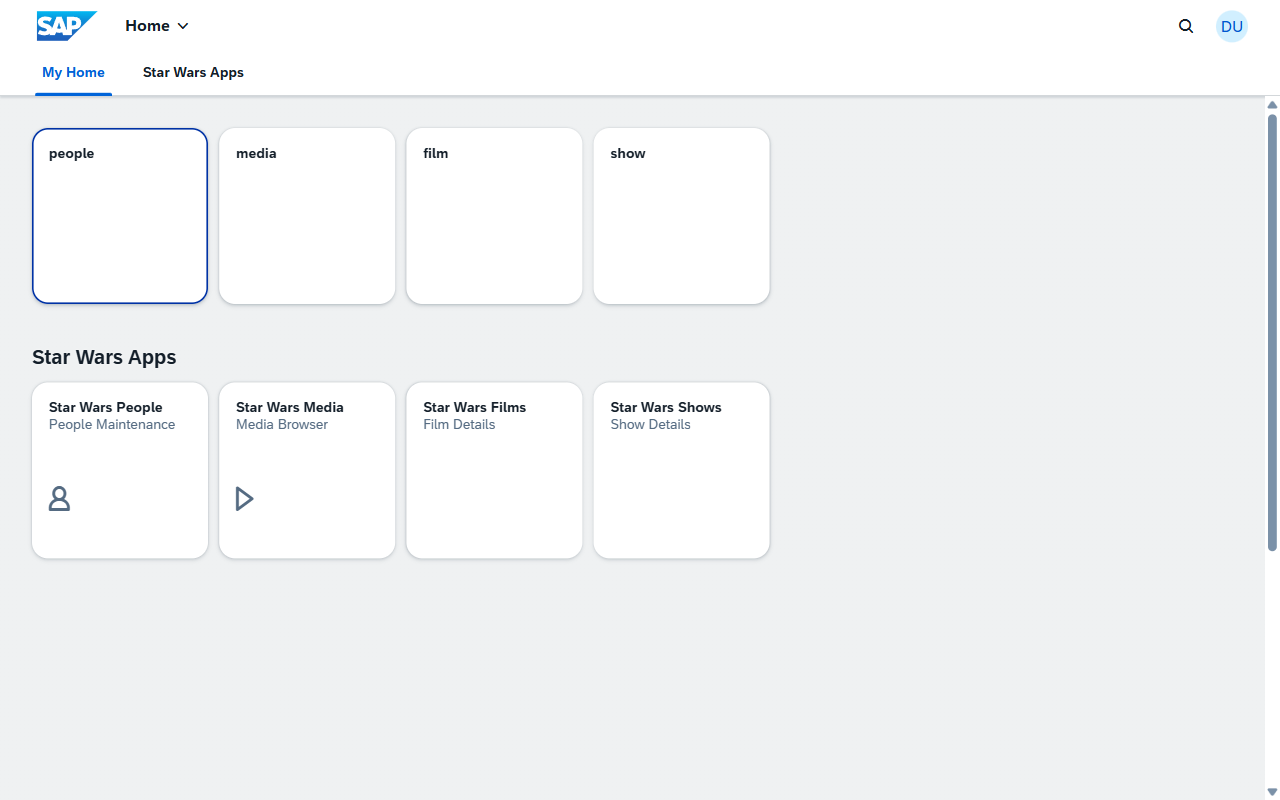
And the Fiori launchpad ties everything together with one page with tiles for People, Films, and Shows, each launching the appropriate Fiori Elements app:
Try It
The project is at github.com/SAP-samples/cloud-cap-hana-swapi.
To run it locally with SQLite (no external services needed):
git clone https://github.com/SAP-samples/cloud-cap-hana-swapi
cd cloud-cap-hana-swapi/cap
npm install
npm run sqlite          # starts the CAP server on :4004
# in another terminal:
npm run load_sqlite     # loads all Star Wars data
Then open http://localhost:4004 to explore.
The full documentation site has labs, architecture docs, and API references.
If you find issues, open an issue on GitHub. If you build something with it, I'd genuinely love to know.
If you want to understand the data model, start with the CDS Cheat Sheet. It'll save you hours.
If you want to understand why this project exists, rewatch Empire Strikes Back. You'll figure it out.